Understanding Radio Controlled Clocks
Radio Controlled Clocks, often called Atomic Clocks, automatically synchronize to a time signal, ensuring exceptional accuracy and eliminating manual adjustments.
What is a Radio Controlled Clock?
Radio Controlled Clocks (RCC) are timepieces that automatically synchronize with a highly accurate time signal transmitted by atomic clocks. These clocks, also known as Atomic Clocks, receive signals like DCF77, ensuring exceptional precision. Unlike traditional clocks needing manual setting, RCCs adjust themselves, minimizing errors and offering convenience.
You’ll often find “Radio Controlled Clock” or “Atomic Clock” printed on the packaging of weather stations or clocks. This indicates the device’s ability to receive and utilize these time signals. The core benefit is consistent accuracy, as the clock continually corrects itself against a primary time standard. This eliminates the need for daylight saving time adjustments in many regions, further simplifying operation.
The DCF77 Signal: How it Works
The DCF77 signal is a time signal transmitted from Mainflingen, Germany, and is the standard for radio-controlled clocks in Europe. It broadcasts a time code based on the atomic clock in Braunschweig, providing incredibly accurate time data. This signal travels long distances, but reception can be affected by location and interference.
The signal carries information about seconds, minutes, hours, date, and even daylight saving time. RCCs equipped to receive DCF77 continuously scan for this signal. Once detected, the clock decodes the information and sets its time accordingly. The process typically takes between 3 to 12 minutes after initial battery installation or a signal loss. Understanding this transmission is key to troubleshooting synchronization issues.
Benefits of Radio Controlled Clocks
Radio Controlled Clocks offer significant advantages over traditional timekeeping methods. The primary benefit is automatic, highly accurate timekeeping, eliminating the need for manual adjustments, especially during daylight saving time transitions. This precision stems from synchronization with atomic clock signals like DCF77.
Beyond accuracy, RCCs provide convenience and reliability. They minimize the effort required to maintain correct time, making them ideal for various applications. Furthermore, many models include backup quartz operation, ensuring continued timekeeping even if the radio signal is temporarily unavailable. This combination of accuracy, convenience, and reliability makes RCCs a superior choice for those valuing precise time.
Initial Setup & Automatic Time Setting
Initial setup involves correct battery installation, after which the clock automatically sets to 12:00 and begins receiving the DCF signal for synchronization.
Installing Batteries Correctly
Proper battery installation is the crucial first step for your radio-controlled clock to function optimally. Ensure you use the correct battery type as specified in the clock’s documentation – typically AA or C batteries. Carefully observe the polarity markings (+ and -) inside the battery compartment and insert the batteries accordingly.
Incorrect polarity can damage the clock’s mechanism or prevent it from operating. Once the batteries are securely in place, the clock will usually initialize, and the hands will move to the 12:00 position. This indicates the clock is preparing to receive the time signal. A successful battery installation is fundamental for the automatic time-setting process to begin, paving the way for accurate timekeeping.
Automatic Time Synchronization Process
Following correct battery installation, your radio-controlled clock initiates the automatic time synchronization process. The clock begins searching for the DCF77 signal, a standardized time signal transmitted from Germany. This process typically takes between 3 to 12 minutes, during which the clock’s hands may appear to move or remain stationary.
Once the DCF signal is successfully received and processed, the clock automatically displays the correct time. A stable signal reception is vital; obstructions can interfere. The clock continuously monitors and adjusts its time, ensuring ongoing accuracy. This automated synchronization eliminates the need for manual adjustments, providing reliable timekeeping without user intervention. Patience during the initial synchronization is key to enjoying the benefits of a radio-controlled clock.
Troubleshooting Initial Synchronization (3-12 Minutes)
If your radio-controlled clock fails to synchronize within the expected 3-12 minute timeframe, several factors might be at play. Ensure the clock isn’t near sources of interference like televisions, computers, or thick walls. Try relocating the clock to a different location, preferably closer to a window.
Verify the batteries are fresh and correctly installed. A weak battery signal can hinder reception. Avoid placing the clock in a metal cabinet or near other electronic devices. If issues persist, manually setting the time (see Manual Time Setting Procedures) can provide a temporary solution while the clock continues searching for the DCF77 signal. Remember, consistent signal reception is crucial for automatic synchronization.
Manual Time Setting Procedures
Manual mode is activated by pressing and holding the M.SET button for approximately three seconds, allowing independent adjustment of the hour and minute hands.
Entering Manual Mode (M.SET Button)
To initiate manual time setting on your radio-controlled clock, locate the M.SET button – a crucial component for overriding the automatic synchronization process. Press and firmly hold this button for approximately three seconds. You’ll notice the clock hands begin to move, indicating that the system has transitioned into manual mode.
This action disengages the radio signal reception, granting you complete control over the time display. Continue holding the M.SET button and observe as the minute and hour hands become responsive to further adjustments. Releasing the button at any point will finalize the current setting. Remember, entering manual mode is essential when the automatic synchronization fails or when a specific time zone requires immediate correction.
Adjusting Hours and Minutes
Once in manual mode, achieved by holding the M.SET button, you can precisely adjust both the hours and minutes. Continue pressing the M.SET button repeatedly; each press will incrementally move the hands forward. This allows for fine-tuning to the desired time. Observe the clock face carefully to monitor the hand movements and ensure accuracy.
The process is intuitive – continued presses advance the time. Release the M.SET button when the correct hour and minute are displayed. Take your time and double-check the setting before finalizing. Remember, this manual adjustment overrides the automatic radio signal synchronization, providing a temporary, user-defined time until the next automatic sync occurs.
Confirming Manual Time Setting
After meticulously adjusting the hours and minutes using the M.SET button, it’s crucial to confirm your settings; Typically, no explicit confirmation button is needed; simply releasing the M.SET button automatically saves the manually set time. However, observe the clock for a few seconds to ensure the hands remain stable at the desired position.
The clock will now operate on the manually set time until it successfully receives the DCF77 signal again. Be aware that the radio-controlled function will attempt to synchronize periodically. Once synchronization is achieved, the clock will revert to automatically updating its time. Therefore, manual setting is best used for temporary adjustments or when signal reception is poor.
Time Zone Adjustment
Time Zone selection is vital for accuracy; locate the slide switch on the clock’s movement and adjust it to match your specific geographical location.
Locating the Time Zone Switch
Identifying the time zone switch is crucial for accurate timekeeping with your radio-controlled clock. Typically, this switch is found on the back of the clock mechanism, often near the battery compartment. It’s usually a small slide switch, clearly labeled with various time zone designations or abbreviations.
Carefully examine the clock’s rear housing; the switch may be subtly positioned. Some models utilize a numerical scale representing UTC offsets, while others employ regional indicators. Before adjusting, consult a time zone map to determine your correct setting. Incorrect selection will result in inaccurate time display. Ensure the switch is firmly set to avoid accidental changes, guaranteeing your clock consistently reflects the correct local time.
Setting the Correct Time Zone
Accurate time zone selection is paramount for your radio-controlled clock’s functionality. Once located, gently move the time zone switch to align with your geographical region. Refer to a reliable time zone map or online resource to confirm your specific setting. Remember that daylight saving time (DST) adjustments are often handled automatically by the clock, but verifying this feature is advisable.

After adjusting the switch, allow the clock several minutes to synchronize with the time signal. If the time doesn’t update correctly, double-check the switch position and ensure the clock is within range of the signal transmitter. A properly set time zone guarantees your clock displays the precise local time, maximizing the benefits of its radio-controlled technology.

Advanced Features & Troubleshooting
Radio Controlled Clocks offer manual overrides and a function to disable automatic synchronization, alongside solutions for signal reception issues and hand positioning.
Positioning Hands at 12:00
Initial hand alignment is crucial for optimal performance of your radio-controlled clock. Before installing batteries, verify that both hour and minute hands are precisely aligned at the 12:00 position. This is particularly important if the clock has been shipped or handled, as movement during transit can disrupt the initial alignment.
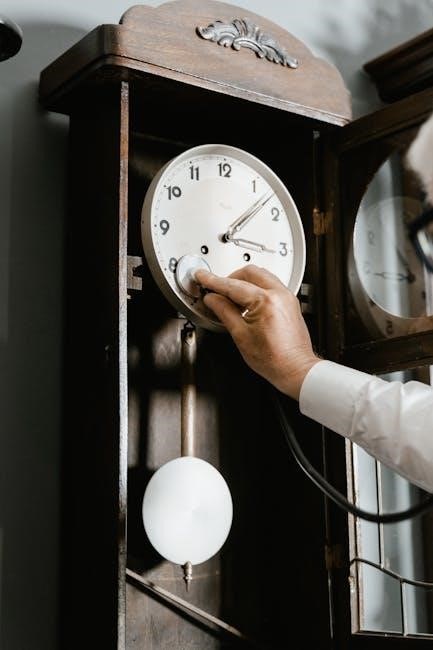
If the hands have deviated from the 12:00 mark, gently reposition them. Some models may have a small recessed button on the back of the clock that, when pressed, allows you to manually move the hands. Others might require a delicate touch to adjust them directly. Accurate positioning ensures the clock can properly receive and interpret the DCF77 signal, leading to successful automatic time synchronization. Failing to do so may prolong the initial synchronization process or prevent it altogether.
Turning Off RCC Function Manually
Disabling the Radio Controlled Clock (RCC) function might be necessary if you experience persistent synchronization issues or prefer to operate the clock solely in manual mode. Many models offer a method to deactivate the automatic time signal reception. This is typically achieved through a dedicated switch or a specific sequence of button presses.
Consult your clock’s specific manual for detailed instructions, as the procedure varies between manufacturers. Generally, it involves accessing a settings menu or utilizing a combination of buttons like ‘M.SET’ and ‘Clock Set’. Once the RCC function is turned off, the clock will no longer attempt to synchronize with the DCF77 signal, and you’ll need to rely on manual time setting to maintain accuracy. Remember to note the original setting for easy re-activation if desired.
Addressing Synchronization Issues
Synchronization problems with radio-controlled clocks are common, often stemming from signal interference or unfavorable positioning. If your clock fails to synchronize within the typical 3-12 minute window, several troubleshooting steps can be taken. Ensure the clock isn’t near large metal objects or electronic devices that could disrupt the DCF77 signal.
Try relocating the clock to a different location, preferably closer to a window. Verify the correct time zone setting is selected. If issues persist, manually resetting the clock to the correct time and then allowing it to re-synchronize can sometimes resolve the problem. As a last resort, consider temporarily disabling and re-enabling the RCC function, as described in the manual, to force a fresh signal search.

Specific Clock Models & Instructions
American Time and Hugada TV radio-controlled clocks require specific setup procedures, including verifying hand positioning at 12:00 and time zone selection.
American Time Radio-Controlled/Quartz Clock Instructions
Operating Instructions for American Time Radio-Controlled/Quartz Clocks begin with a crucial verification step: ensure the clock hands are precisely positioned at 12:00. If the hands have shifted during transit or handling, refer to the section detailing hand positioning procedures to correct their alignment.
Next, locate the slide switch on the clock’s movement mechanism. This switch is dedicated to time zone selection. Carefully move the switch to correspond with your specific local time zone, guaranteeing accurate time synchronization. Following these initial steps, the clock will automatically begin receiving the DCF77 signal.
Allow up to 12 minutes for the clock to receive and process the signal, after which it will display the correct time. Remember, proper hand positioning and time zone selection are vital for optimal performance.
Hugada TV Radio Controlled Clock Manual Setup
For Hugada TV Radio Controlled Clock manual setup, initiate the process by pressing and holding the M.SET button for approximately three seconds. This action places the clock into manual adjustment mode, allowing you to override the automatic time synchronization.
Continue pressing the M.SET button repeatedly. Each press will activate the movement of the minute and hour hands. Carefully monitor the hand positions and release the button precisely when the desired time is displayed. This requires a steady hand and focused attention to achieve accurate time setting.
Remember, manual setup bypasses the radio signal reception. Ensure you’ve selected the correct time zone beforehand for accurate timekeeping. Refer to online resources or the clock’s documentation for detailed visual guidance on this process.
Leave a Reply
You must be logged in to post a comment.